Invoice allocations,
without retyping.
Look up an employee's cost center and location from your staff CSV, review the matches, and save accounting copies of the invoices.
The working tool processes a batch on your computer. The source is free; a supported setup is available separately.
Lookup, review, copy.
Staff CSV + PDFs
Load your allocation table and up to 25 invoices. Names in selectable PDF text suggest employee rows.
Resolve the exceptions
Same-name and missing matches stay unselected. Choose an employee ID and confirm each invoice. Scans use manual selection.
Keep the originals
Save only confirmed copies, with a CSV report linking source and result hashes. Nothing is sent to accounting automatically.
Check the result before installing.
Staff row: Alex Novak · E001 · Cost center CC-110 · Belgrade
The first page becomes taller. A separate allocation block is added below the original page, so it does not cover the invoice. Check that this copy format works for your accounting recipient.
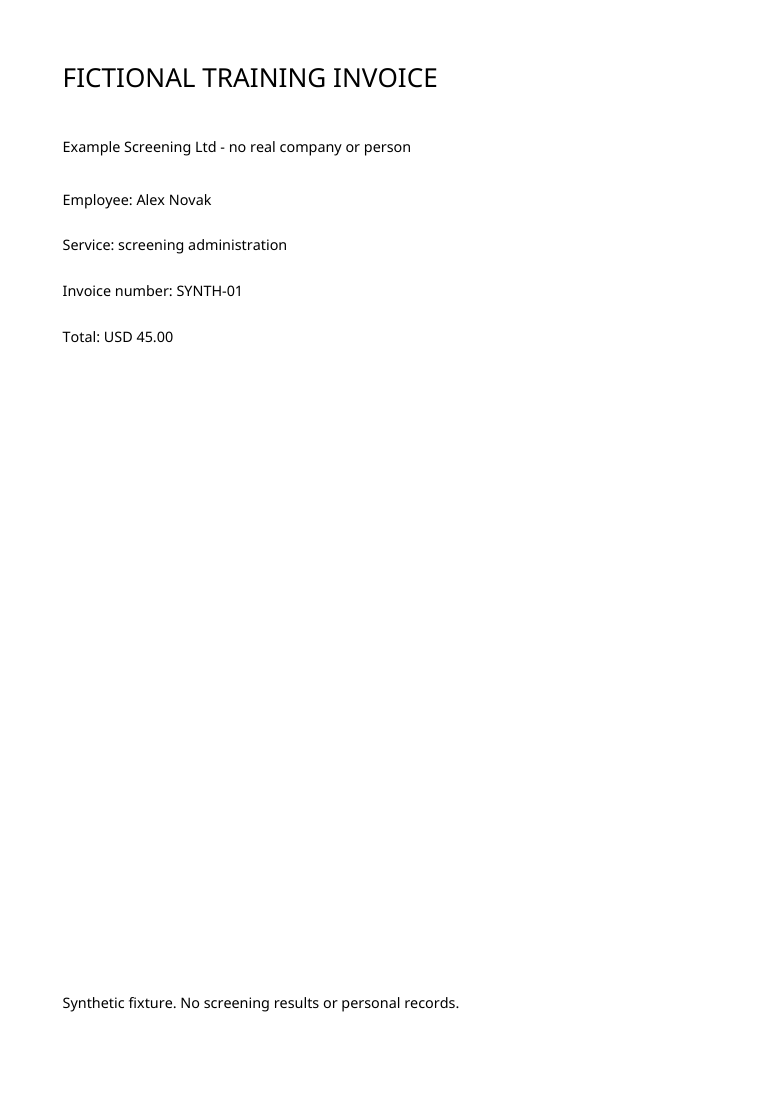
Open original PDF ↗
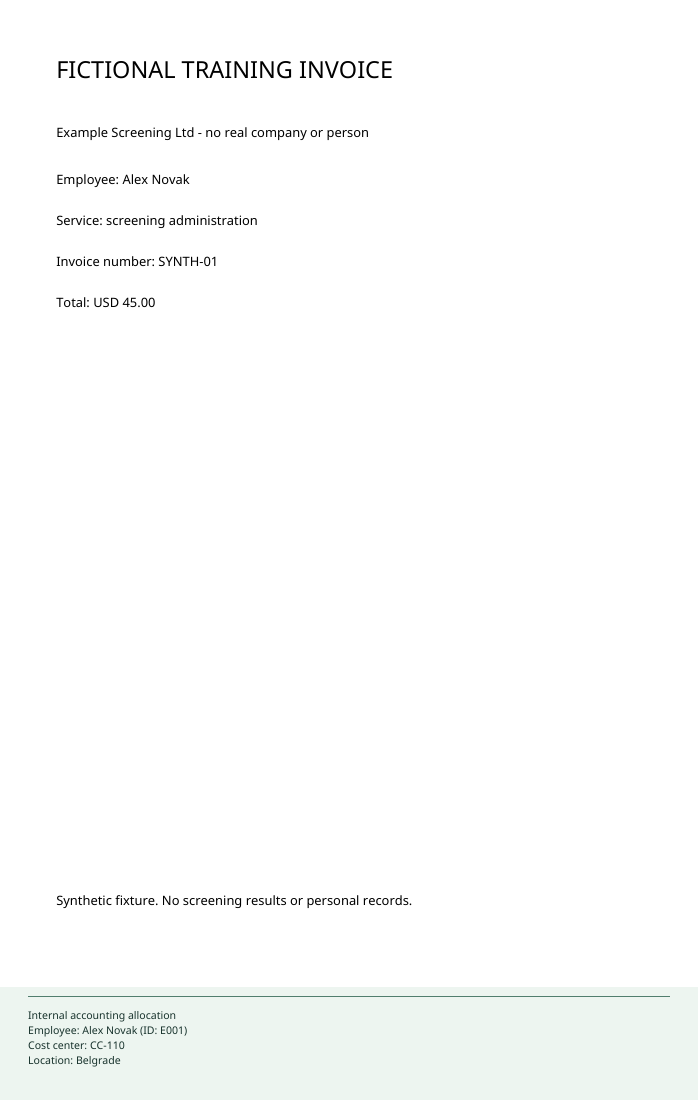
Open resulting PDF ↗
Review stays explicit.
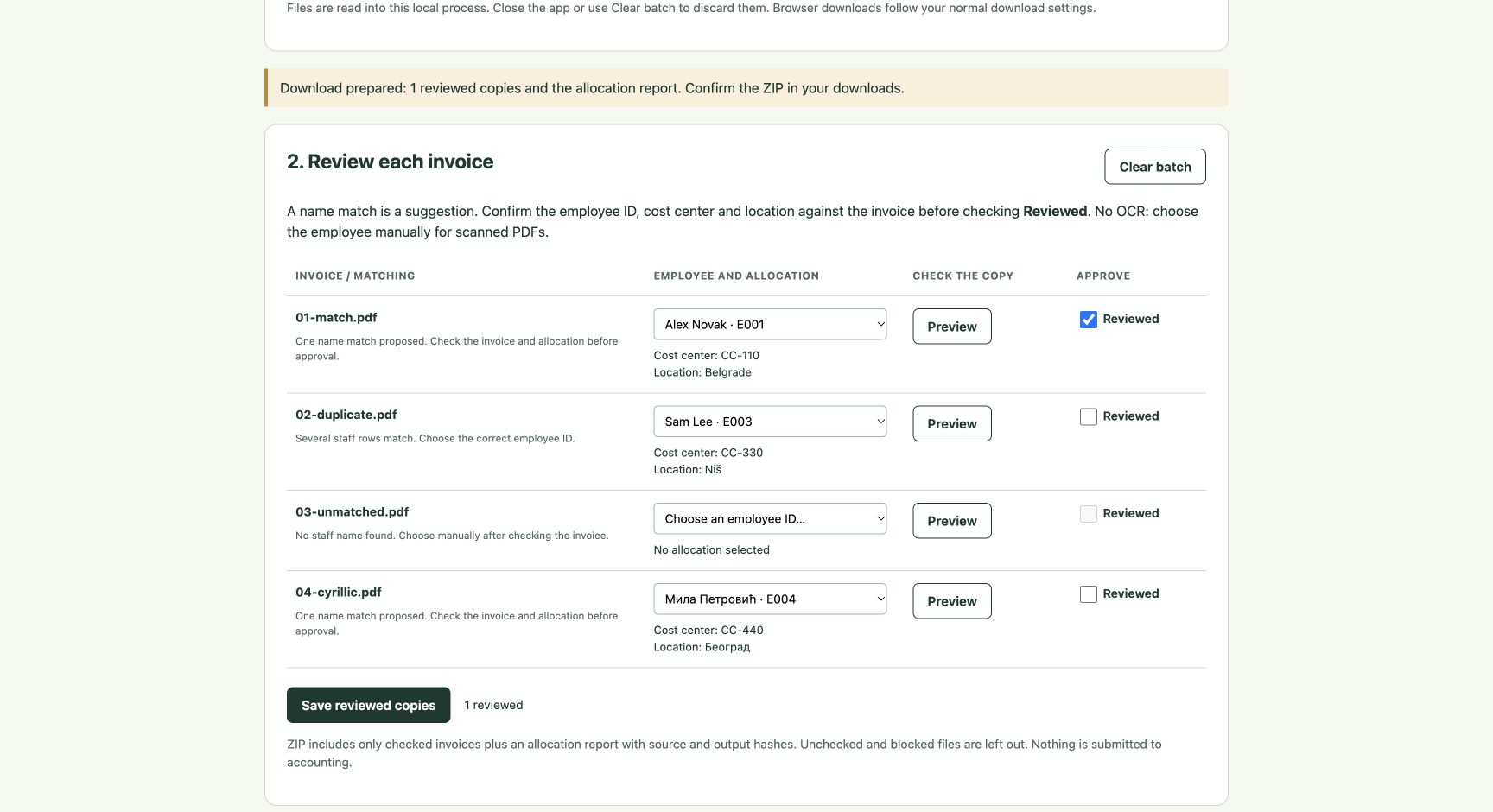
A suggested name is never an approval. The interface displays cost center and location beside each employee ID; changing that choice removes its Reviewed mark. The PDF viewer switches between original and accounting copy.
Make it fit one repeated task.
US$150
For one agreed supported invoice/output format, setup on one compatible computer, and one correction.
Discuss my invoice workflow ↗The useful finished result
- Your agreed staff CSV mapped to employee IDs, cost centers and locations.
- A local workflow that you can launch and use for the supported batch.
- Representative copies checked against the agreed allocation and output format.
- A results report, plus one correction within that scope.
Run locally.
Unzip the package. With Python installed on Windows, run Setup Windows.cmd once, wait for Ready, then run Start Windows.cmd. The app opens its local browser address. The README also has macOS/Linux commands.
Try fictional invoices first: a unique match, two staff rows with the same name, an unmatched invoice and Cyrillic text. Processing makes no cloud calls. Setup downloads its Python dependencies from PyPI.
Supported files and limits
Plain PDFs only: signed, encrypted, annotated and interactive documents are blocked, including ordinary link annotations. Up to 25 files, 12 MB each / 24 MB total, 20 pages per PDF, 2,000 staff rows. CSV headers: employee_id,name,cost_center,location.
There is no OCR. Scans and unmatched names require manual employee selection. The first page gains a footer; other page dimensions remain unchanged. No signature or PDF/A preservation guarantee. Unsupported font glyphs block generation.
What has actually been checked?
Seventeen author checks cover matching, approvals, original bytes, output PDFs and the local HTTP workflow. A separate team agent inspected the browser review flow, explicit-selection export/report and rendered fictional results. Customer layouts, accounting acceptance and physical Windows installation remain unverified.
The tool prepared a ZIP in the author's browser; its actual browser save was not verified because the download observer timed out. Separate core and HTTP checks verified the generated ZIP and its report. Full dated notes are in the source package.
Source, dependencies and licences
Our code is MIT. The ZIP preserves the separate Noto Sans OFL, PDF.js Apache and adjacent component notices. Python dependencies pypdf and ReportLab are installed separately. Examples contain invented data. This is a working candidate, not a staff-record system or employment decision tool.